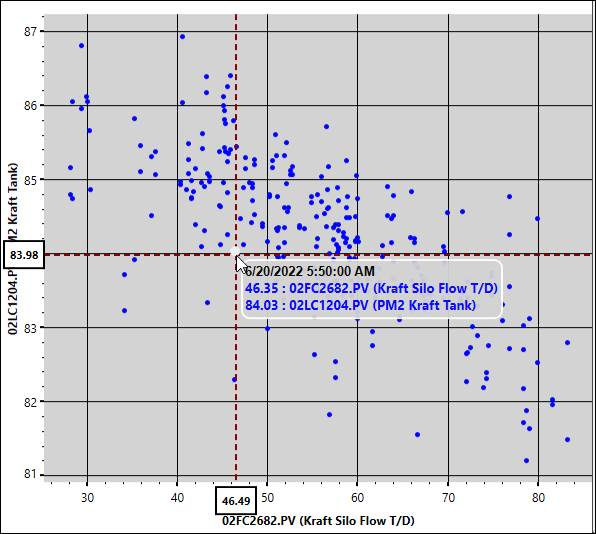
Enable SmartMouse through the right-click menu, the quick access toolbar, or by clicking the middle mouse button. When enabled, it shows the values of the X- and Y-tags of the last point the cursor hovered over, and the timestamp associated with those values. The values at the point where the cursor is located are shown on the X- and Y-axes.