Right-click the plot area to open the context menu.
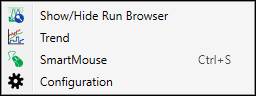
Show/Hide Run Browser: This will open and close the Run Browser panel.
Trend: This will open a Trend with the X- and Y-axis tags of the chart being shown in the Trend.
SmartMouse: Enable SmartMouse.
Configuration: Open X/Y Configuration.