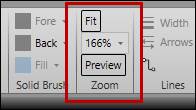
Use the Zoom section of the Edit ribbon to zoom in and out of the canvas. Alternatively, use the mouse’s scroll wheel while holding CTRL to zoom. When zoomed, the middle mouse scroll wheel will pan up and down. Use the bottom scroll bar to pan left and right.