Choose how to handle alarm deletion.
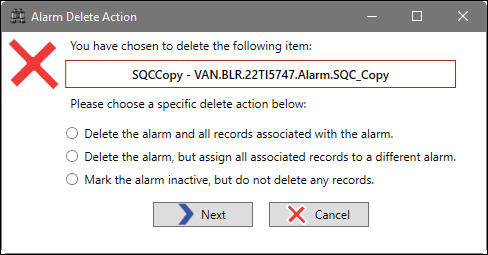
Delete the alarm and all records associated with the alarm: PARCview will attempt to delete the alarm and associated data.
Delete the alarm, but assign all associated records to a different alarm: Migrate data associated with the alarm to a different alarm (see below).
Mark the alarm inactive, but do not delete records: Make the alarm inactive and keep associated data. Alarms can be reactivated.
Next: Proceed to the next step.
Cancel: Back out without saving changes.
If migrating data to a new alarm, choose how to handle the migration.
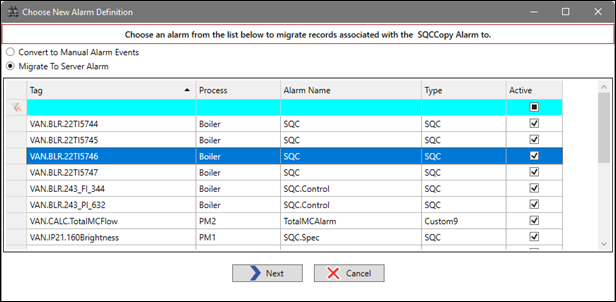
Convert to Manual Alarm Events: Rather than associate the alarm event data with an alarm definition, this will create manual-type alarm events associated with the base UTag.
Migrate to Server Alarm: Choose an alarm from the grid. Alarm event data will be migrated to this alarm definition.
Next: Proceed with the migration.
Cancel: Back out without saving changes.
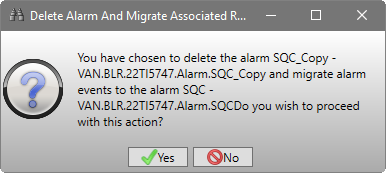
In all cases, a final Yes or No prompt will confirm the action to be taken.