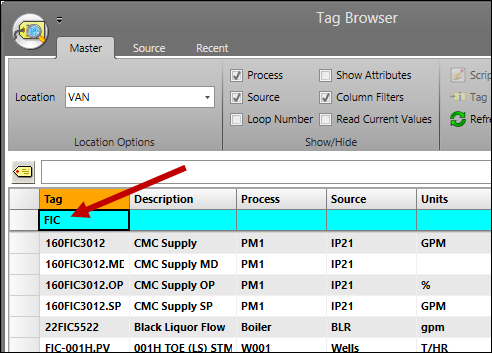
Purpose: Learn to use the blue filter row to search for tags.
Task: Enter text in the Tag column filter field to search for tags by name.
Steps:
Select the Master at the top of the Tag Browser.
In the first row of the grid, which is light blue, enter a search string in the Tag column. Notice the tag list is filtered as you type. The resultant list will be a subset all of the tags that contain the search text somewhere in their name.