

Launch Linked Displays
- 06 Feb 2024
- Print
- PDF
Launch Linked Displays
- Updated on 06 Feb 2024
- Print
- PDF
Article summary
Did you find this summary helpful?
Thank you for your feedback!
Purpose: Learn about launching linked displays from an Alarm List.
Task: Launch the linked “Boiler Overview” Trend for the tag VAN.BLR.22TI5746 from an Alarm List.
Steps:
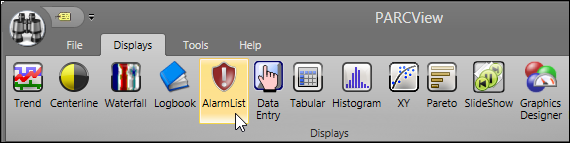
Open a new Alarm List. A new Alarm List shows alarm events for all process areas.
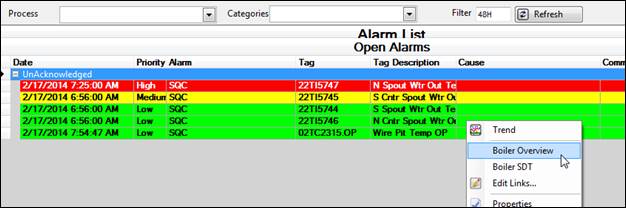
Individual tags can be configured to be “linked” to a specific PARCview display. For example, tags that belong to a given process area might be linked to a display that provides an overview of the state of the process. To access linked displays, right-click a tag’s row. If linked displays are configured, they will be listed by name beneath the Trend option. In this example, the tag is linked to both the “Boiler Overview” and “Boiler SDT” displays.
Was this article helpful?