

Change Timespan
- 05 Feb 2024
- Print
- PDF
Change Timespan
- Updated on 05 Feb 2024
- Print
- PDF
Article summary
Did you find this summary helpful?
Thank you for your feedback!
Purpose: Use the time navigation controls to change the time span of a trend and view data from different periods of time.
Task: Double the time span of the trend into the past three times. Zoom into a specific period of time twice.
Steps:
Click the double back button
 three times. The button is in the lower-left corner of the Trend.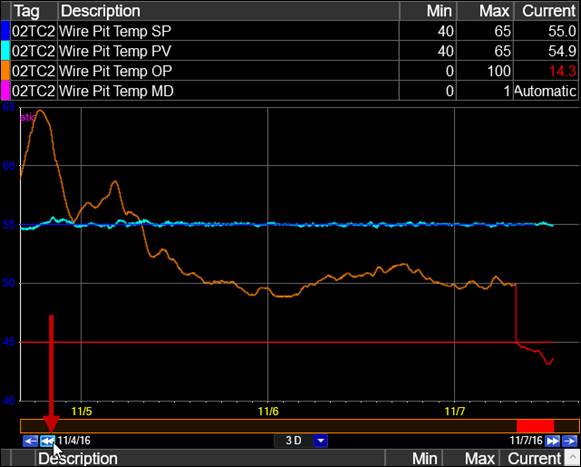
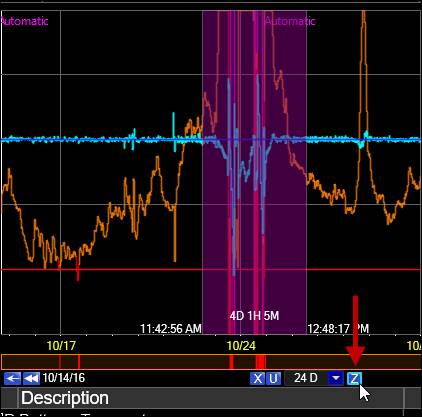
Click and drag to highlight a period of time, then click the zoom button
 .
.
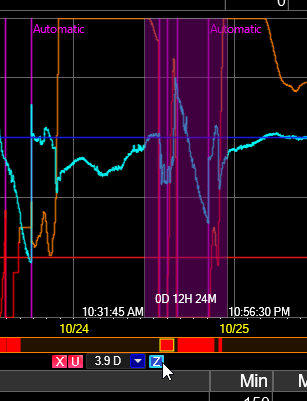
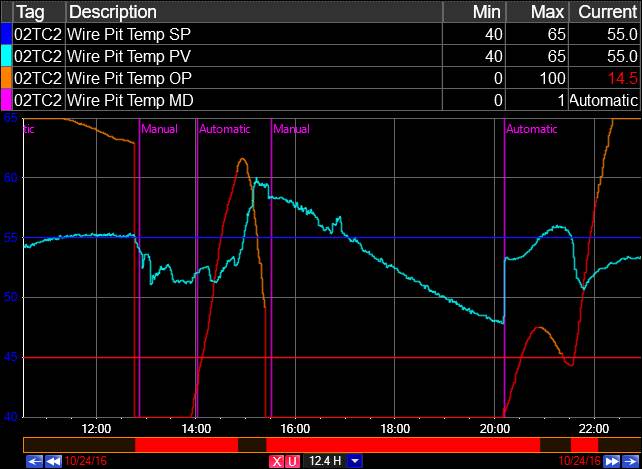
Repeat step two to drill down further. Note the updated time span on the time picker.
Was this article helpful?